The Ultimate Office Snack Pool & Breakroom Bot
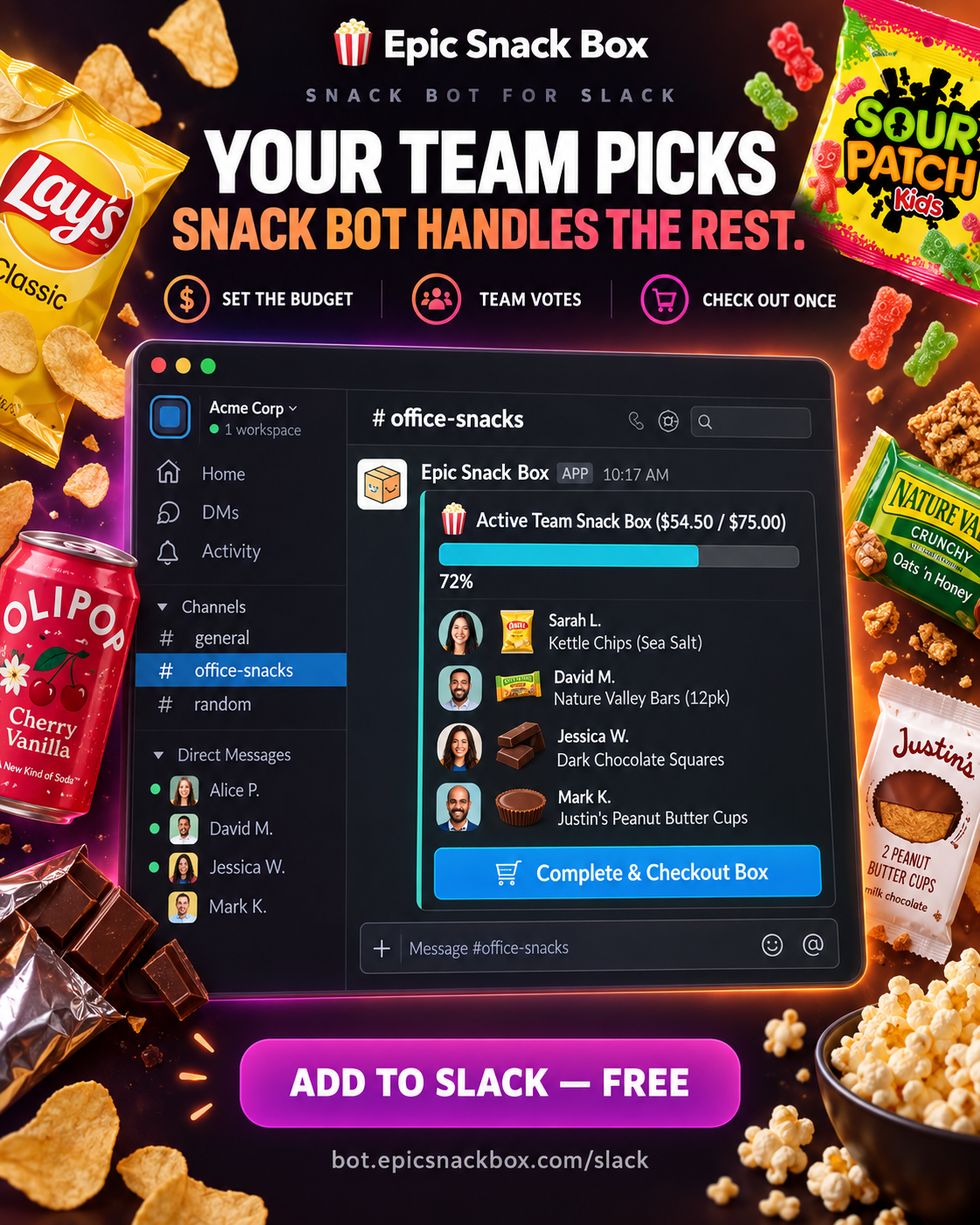
Turn office snack runs into a fun team ritual. Set a monthly budget, let coworkers request and vote on treats, and checkout with a single 1-click consolidated order.
Everything Your Workplace Needs to Snack Smarter
Eliminate spreadsheet chaos and out-of-pocket receipts. Manage your entire breakroom directly inside Slack.
Budget-Capped Snack Pools
Office managers set a budget (e.g. /startsnackbox 75). The real-time Slack progress bar tracks group spend so your team never goes over budget.
500+ Snack Catalog Search
Search chips, international gummies, keto bars, cold brew, and exotic snacks with /snack. Click [➕ Add to Team Box] to vote it in.
1-Click Group Checkout
When the pool is full, /ordersnackbox generates a single pre-filled Shopify cart link with all items, quantities, and automatic discounts pre-applied.
Mystery Snack Roulette
Liven up the office afternoon slump. Run /roulette to spin for a surprise international or trending treat and add it directly to the group box.
Monthly Best Sellers Leaderboard
Discover top office favorites across hundreds of companies with /bestsellers, complete with ratings, flavor profiles, and instant add buttons.
5% Office Affiliate Cashback
Attach your company's affiliate tag. Earn 5% cash back or apply recurring discounts on every snack box shipped to your office address.
Built Beautifully for Slack Dark & Light Mode
Rich interactive Block Kit messages, live progress bars, dropdown selectors, and button actions.
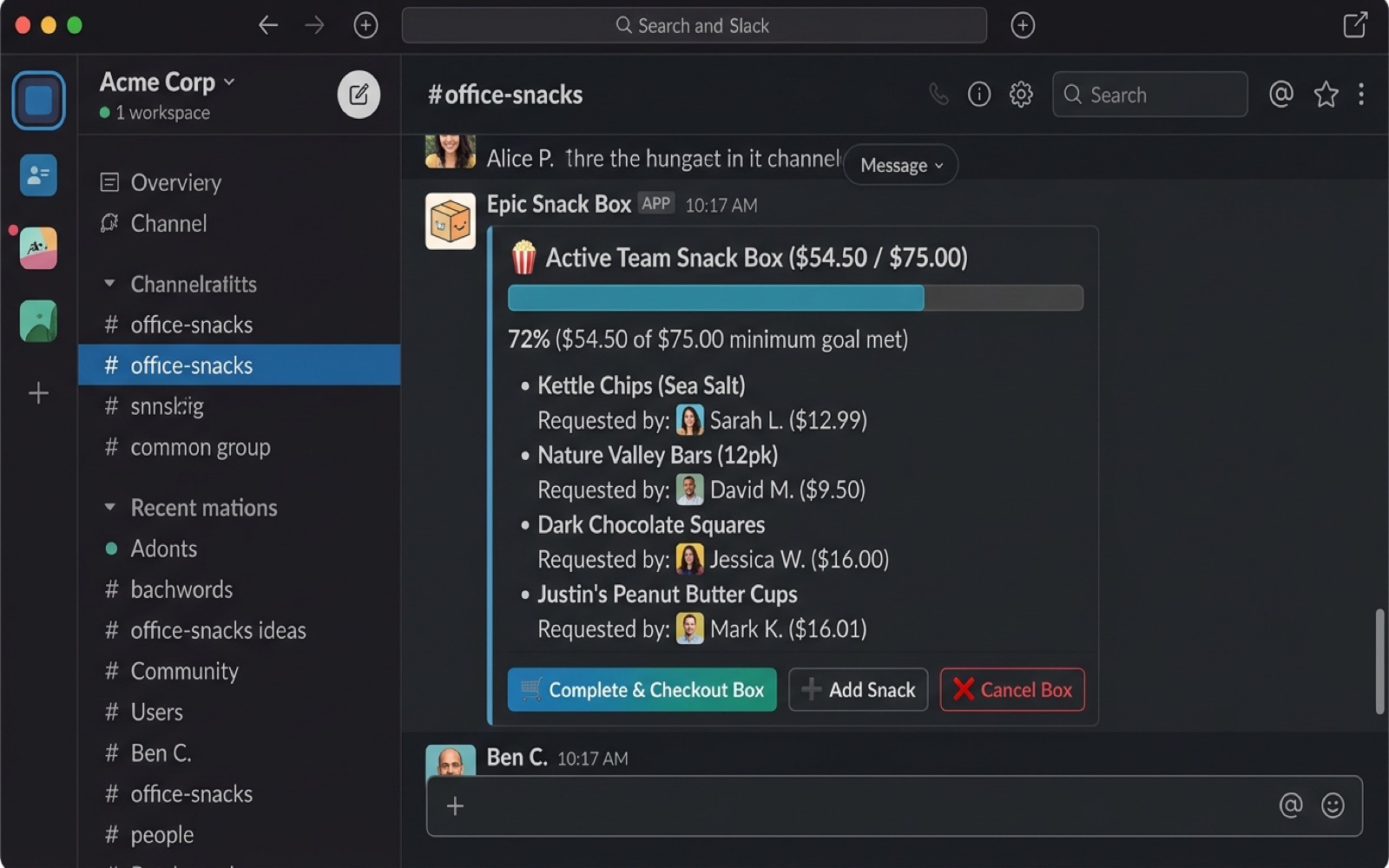
1. Team Snack Pool & Budget Tracker
Live progress bar showing items requested by teammates, total cost, and budget cap.
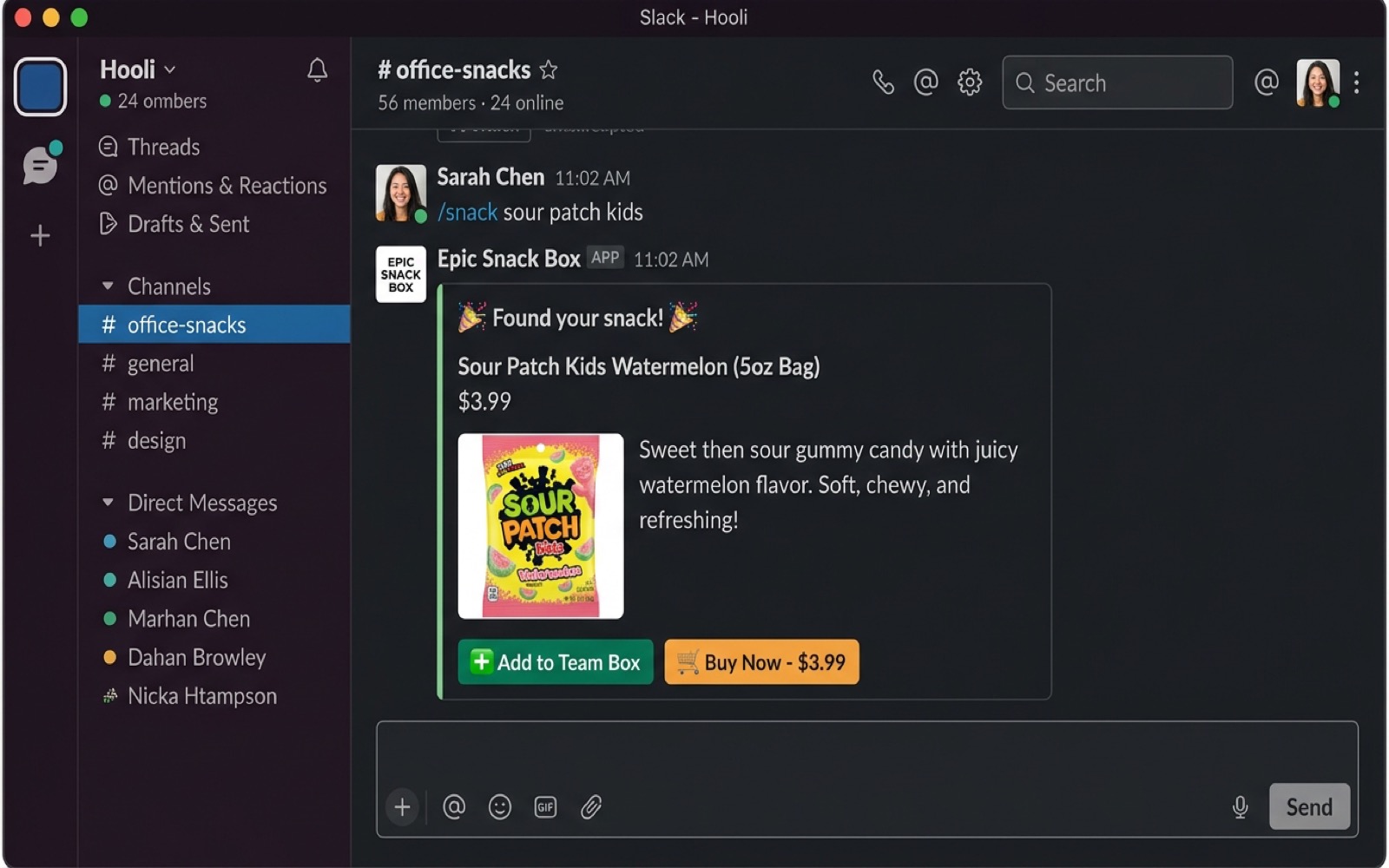
2. Snack Search & 1-Click Add
Search 500+ treats with /snack and instantly add to the team box or order personally.
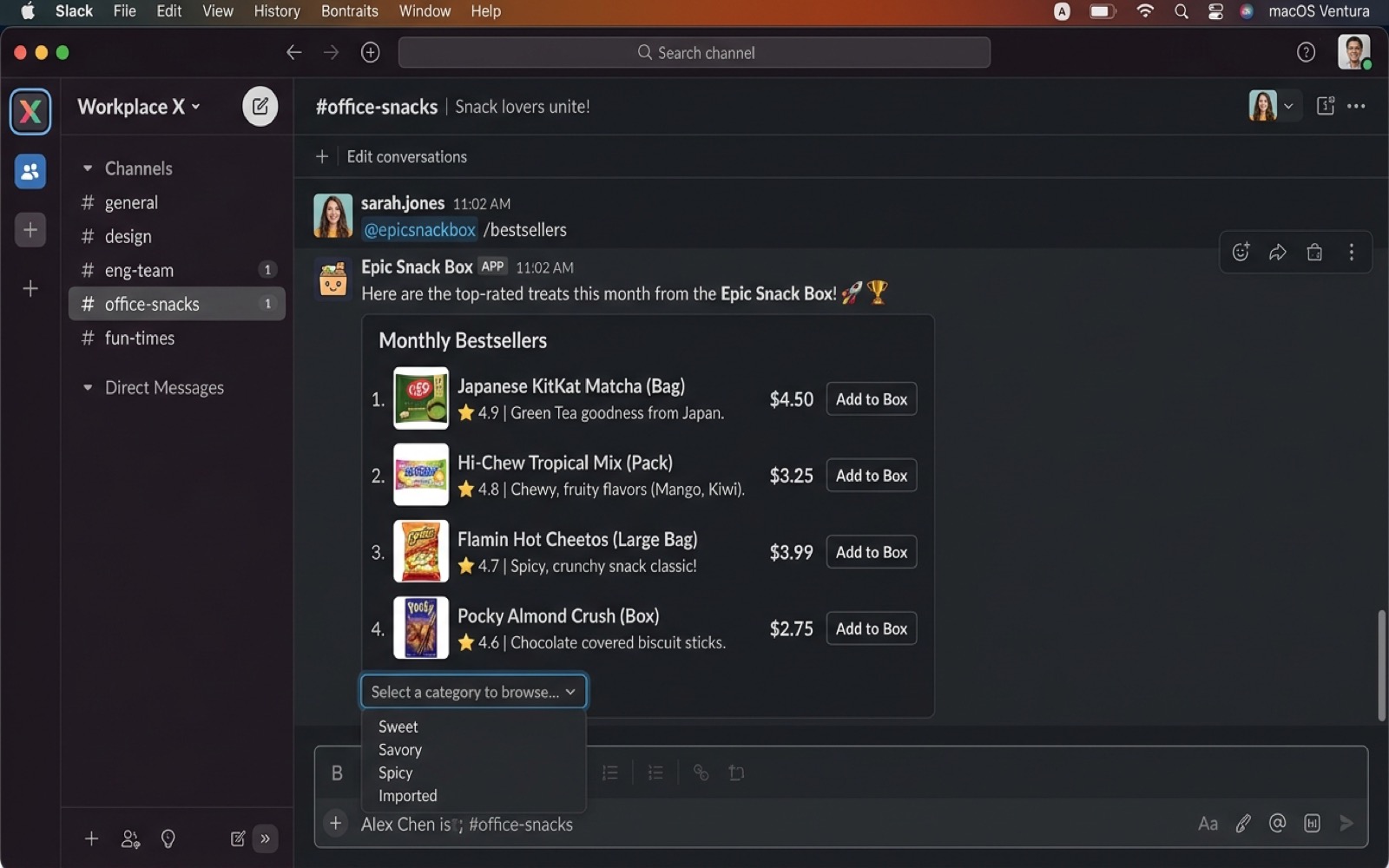
3. Bestsellers & Category Browsing
Interactive dropdown category menus and top-rated office snack leaderboard.
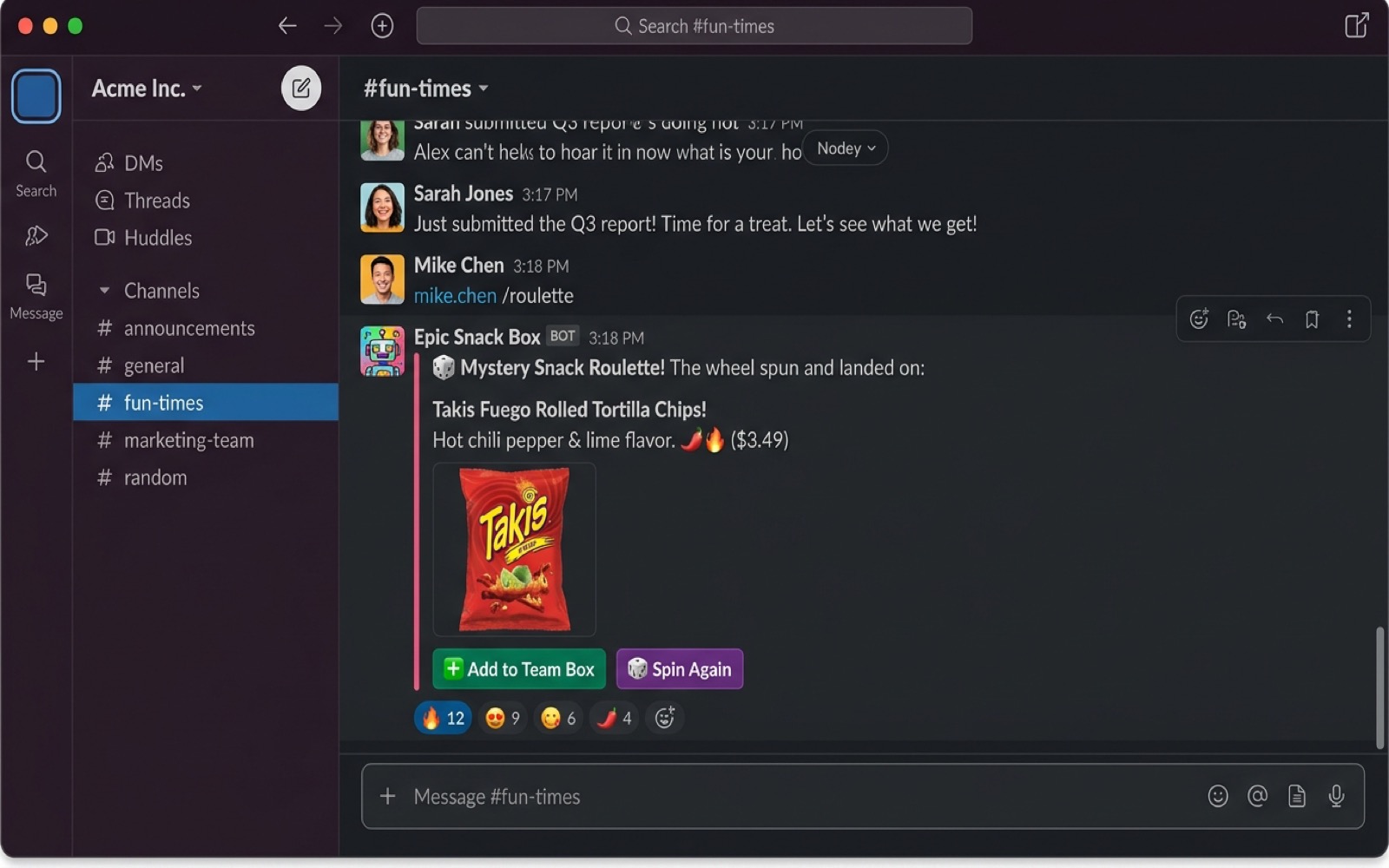
4. Mystery Treat Roulette
Spin the roulette wheel in #office-snacks to discover surprise treats and exotic goodies.
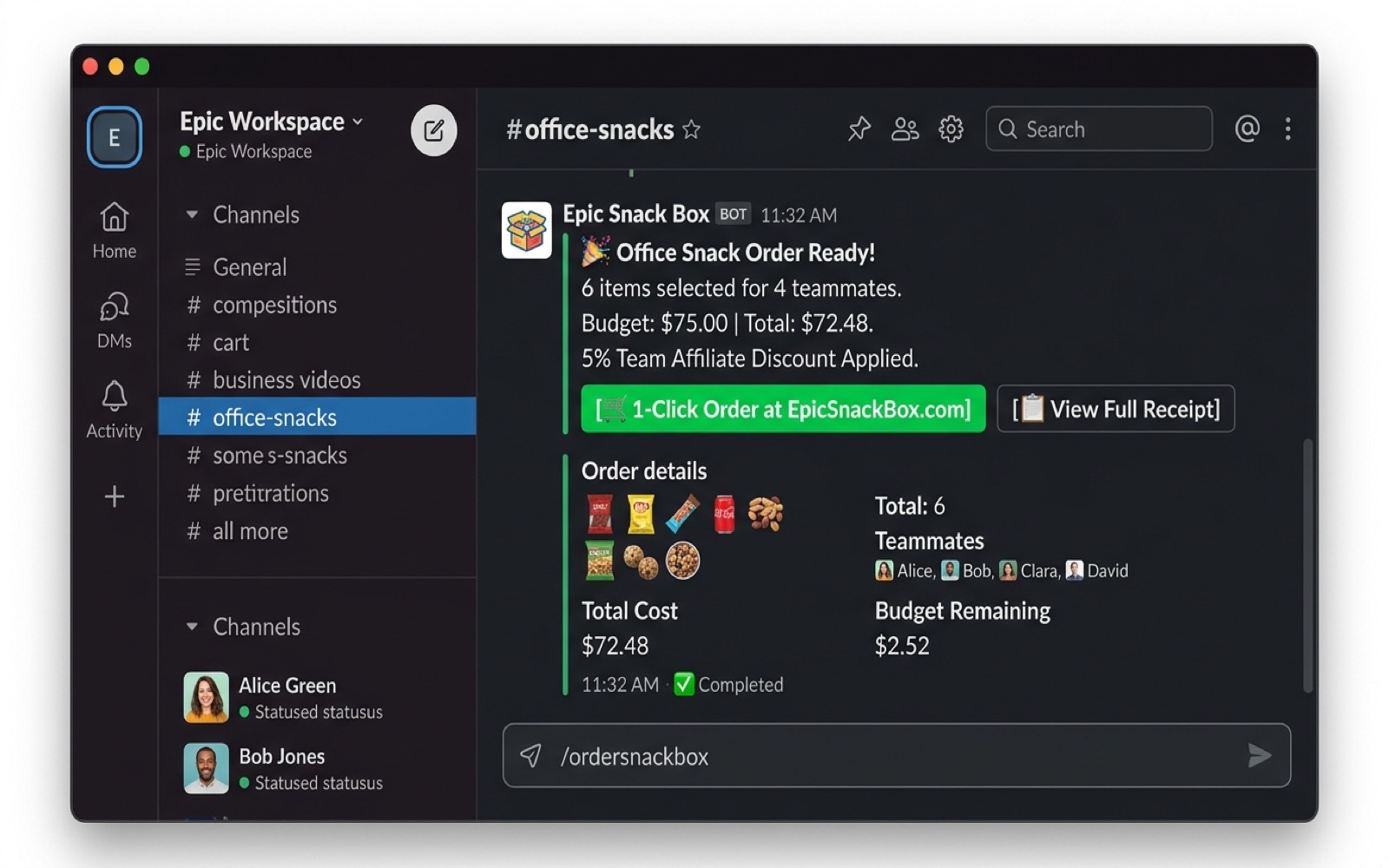
5. Consolidated Group Checkout
1-click prefilled cart link with 5% team affiliate discount for easy corporate card checkout.
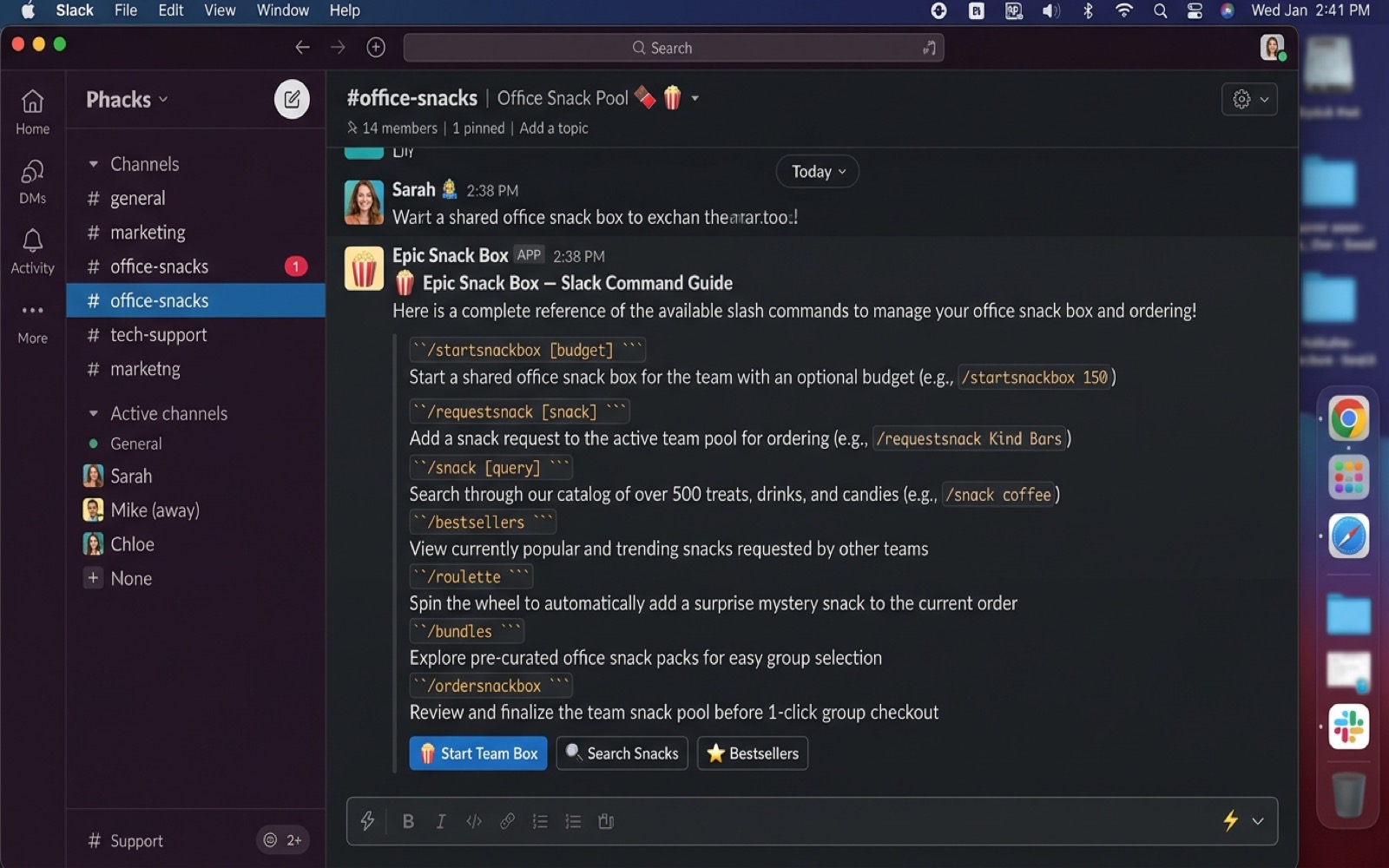
6. Interactive Command Guide
Complete Slack slash command reference cheat sheet and quick action launch buttons.
How Office Snack Ordering Works
Set up in under 60 seconds. No credit card or complex configuration required.
Install to Your Workspace
Click "Add to Slack" to authorize Epic Snack Box for your Slack workspace and choose your default snack channel (e.g. #office-snacks).
Launch a Team Snack Box
Type /startsnackbox 75 to open a $75 snack box. Coworkers use /snack or /requestsnack to vote in their favorite snacks.
1-Click Checkout & Delivery
Type /ordersnackbox. The bot generates a single Shopify checkout link with all items preloaded. Pay once and snacks ship directly to your office!
Available Slack Slash Commands
Everything you and your teammates need to manage breakroom treats.
| Slash Command | Description | Example Usage |
|---|---|---|
| /startsnackbox [budget] | Starts a shared office snack box with a budget goal (preserves existing items if open). | /startsnackbox 75 |
| /requestsnack <item> | Searches and immediately adds the matching snack to the active team snack box. | /requestsnack sour patch |
| /snack <query> | Searches catalog with rich image cards, nutrition info, and "Add to Box" buttons. | /snack beef jerky |
| /bestsellers | Displays top-selling office snacks with interactive category dropdown filters. | /bestsellers |
| /new | Shows the latest exotic treats and newly indexed snack arrivals. | /new |
| /roulette | Spins the mystery snack wheel for an unexpected treat recommendation. | /roulette |
| /bundles | Displays pre-curated office care packages and multi-snack variety bundles. | /bundles |
| /ordersnackbox | Finalizes the active group pool and returns the 1-click Shopify checkout link. | /ordersnackbox |
| /cancelsnackbox | Cancels and clears the current team snack pool (moderators/creators only). | /cancelsnackbox |
| /snackhelp | Displays this full interactive command guide directly inside Slack. | /snackhelp |
Privacy Policy for Slack App
How we handle data, protect privacy, and ensure corporate security.
1. Information We Collect
The Epic Snack Box Slack app operates with strict data minimization principles. We only collect the minimal data required to manage team snack pools:
- Workspace Identifiers: Slack Team ID and Workspace Name (to maintain team cart sessions).
- Channel & User Identifiers: Channel ID and User ID of teammates who invoke slash commands or interact with snack buttons.
- Command Input: The search query or budget value entered in slash commands (e.g.
/snack gummy).
2. Information We Never Collect or Store
- No Message History: We do NOT read, monitor, or store messages in channels where the bot is not explicitly tagged or invoked.
- No Direct Messages: We do not access private messages between teammates.
- No Payment or Credit Card Data: All checkouts occur externally on Shopify / EpicSnackBox.com with SSL 256-bit encryption. The bot server never handles credit card numbers.
3. Data Security & Storage
All communication between Slack and our application is encrypted in transit using industry-standard TLS 1.3 / HTTPS. All Slack webhook requests are verified using HMAC SHA-256 signatures.
4. Data Retention & Deletion
Active snack box requests are retained only for the duration of the open order. Workspace admins can request full deletion of their workspace data at any time by emailing privacy@epicsnackbox.com or support@epicsnackbox.com. Requests are processed within 24 hours.
App Support & FAQ
No account creation required to get help. We're here for you 7 days a week.
✉️ Direct Email Support
Reach out directly to our dedicated support and engineering team. We respond to all inquiries within 24 hours.
support@epicsnackbox.com →🏢 Enterprise & Bulk Office Inquiries
Looking for recurring weekly office snack deliveries, tax-exempt billing, or custom invoicing?
corporate@epicsnackbox.com →/ordersnackbox generates a secure Shopify cart link containing every requested snack. Anyone with corporate card access can click the link and check out in 30 seconds./startsnackbox <new budget> at any time. The bot will update the budget ceiling without clearing any snacks already added by your teammates.